All Features

Every tool your shop needs, in one app

Real screenshots from the live software — scroll through every feature.

01 · Point of Sale

Lightning-fast billing

A POS so smooth your cashiers stop counting seconds. Search, scan, scale quantities and collect payments in two taps.

  • Live cart with inline price, quantity & discount edits
  • Cash, Card & Split payments with auto change calculation
  • Customer ledger right from the bill — previous dues shown live
  • F1/F2 keyboard shortcuts and auto-print receipts
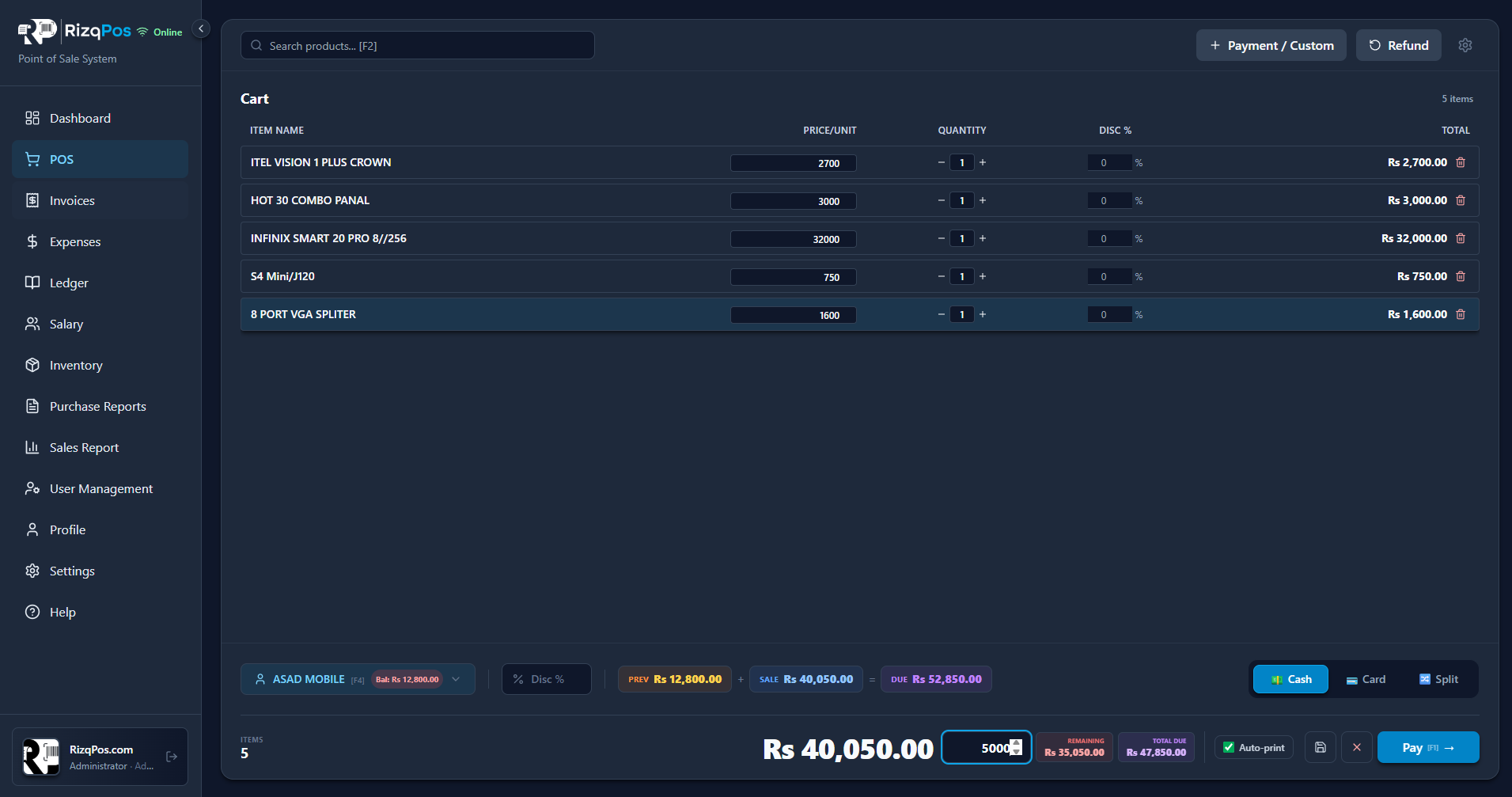
RizqPos point of sale billing screen
02 · Khata / Ledger

Every rupee, every party — tracked

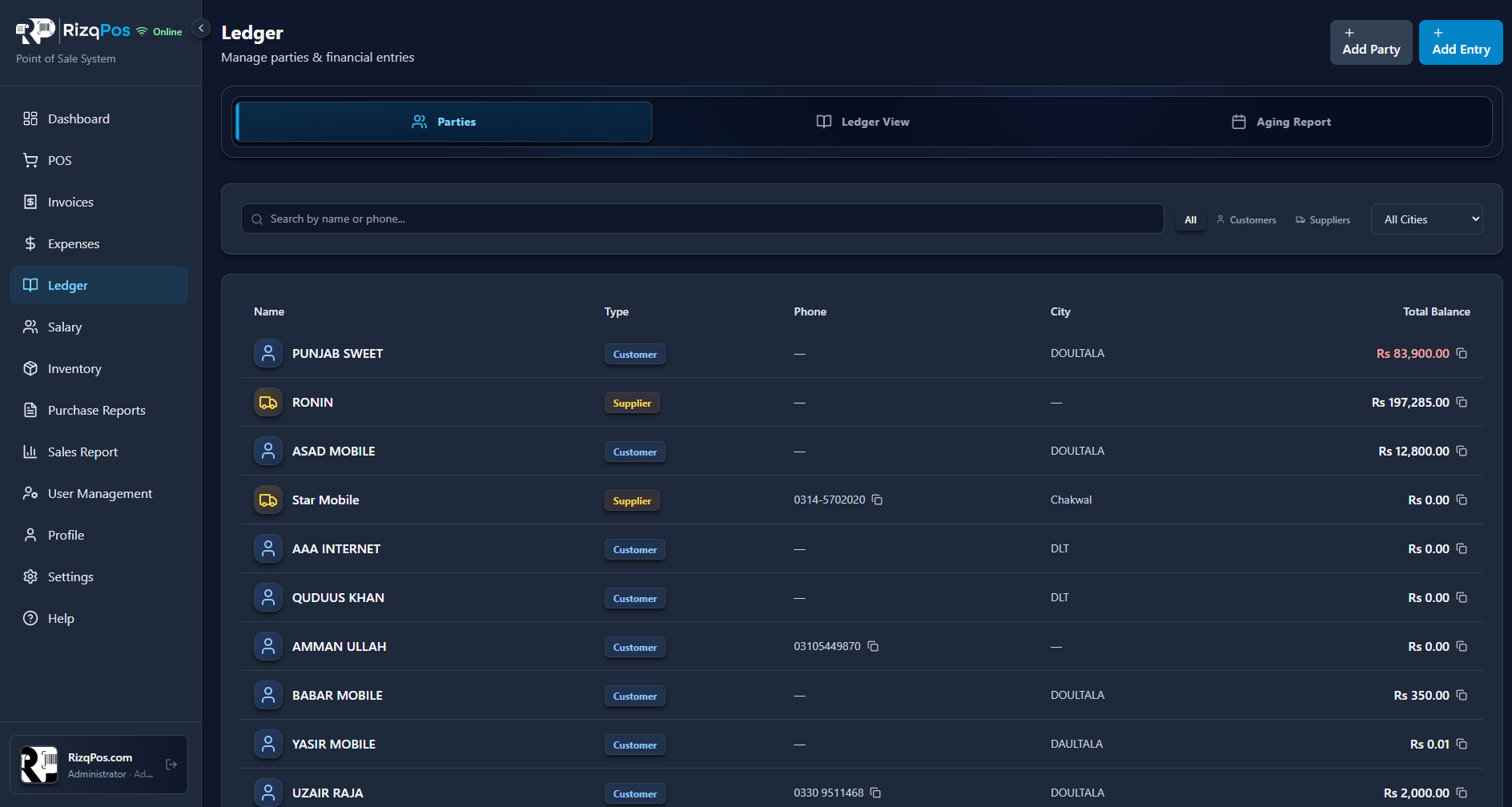
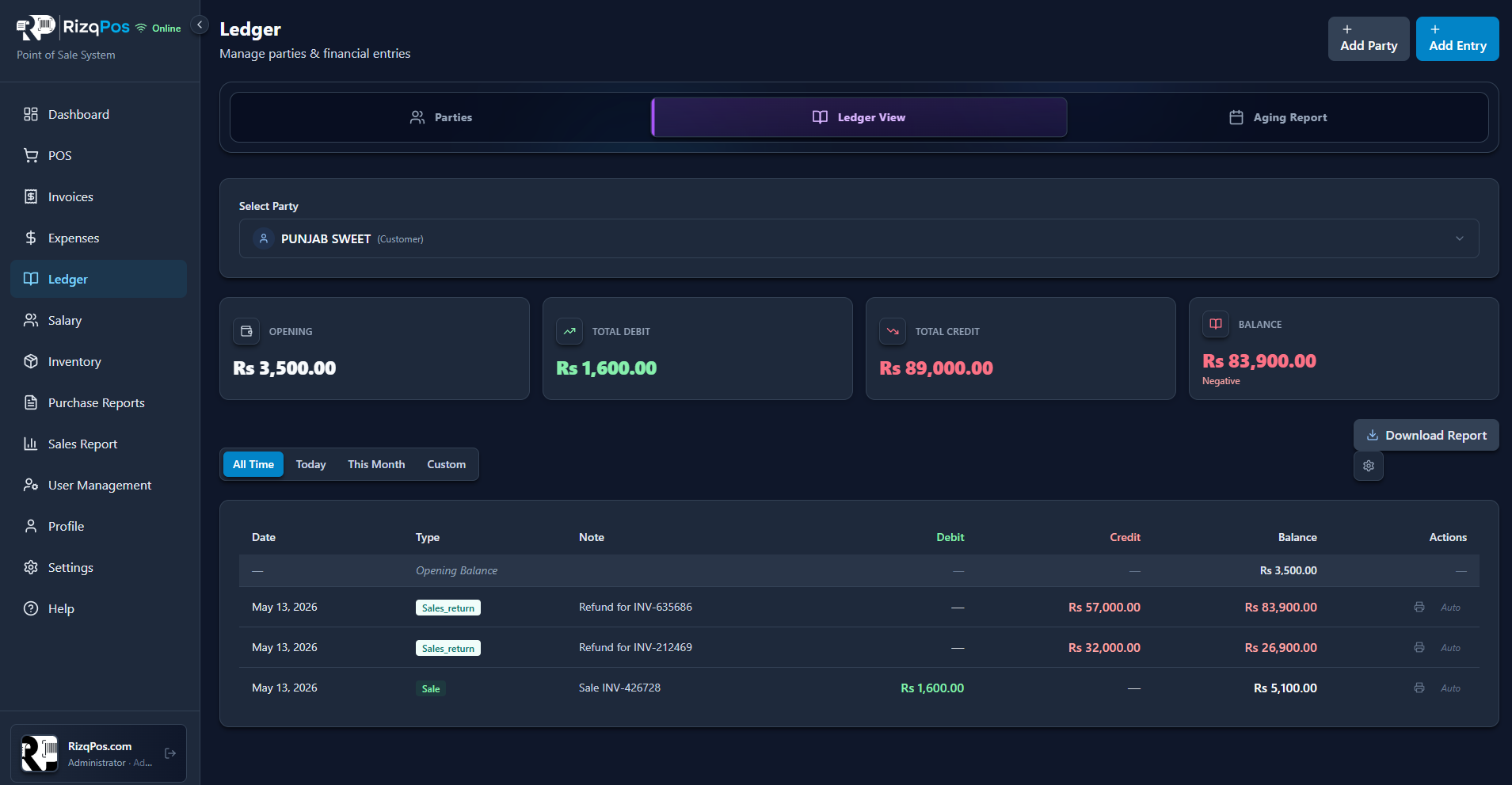
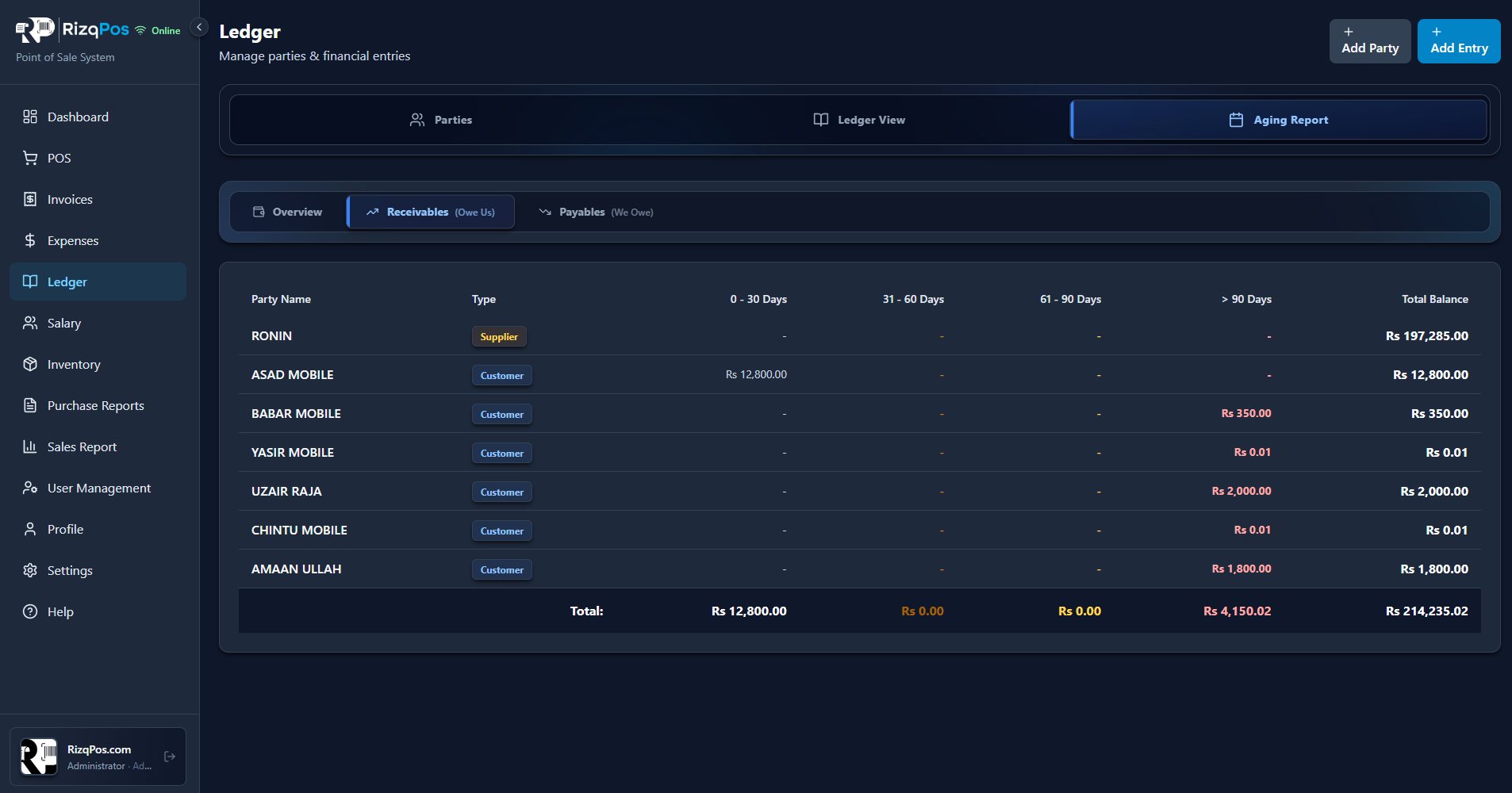
A full digital khata for customers and suppliers. Aging reports, party-wise statements, and printable receipts straight from your POS.

  • Separate ledgers for Customers and Suppliers
  • Opening balances, debits, credits & live running balance
  • Aging report — 0-30, 31-60, 61-90 and 90+ days buckets
  • One-click downloadable PDF statements per party
Ledger parties list with balancesParty ledger view with debit credit balanceAging report buckets per party
Ledger parties list with balances
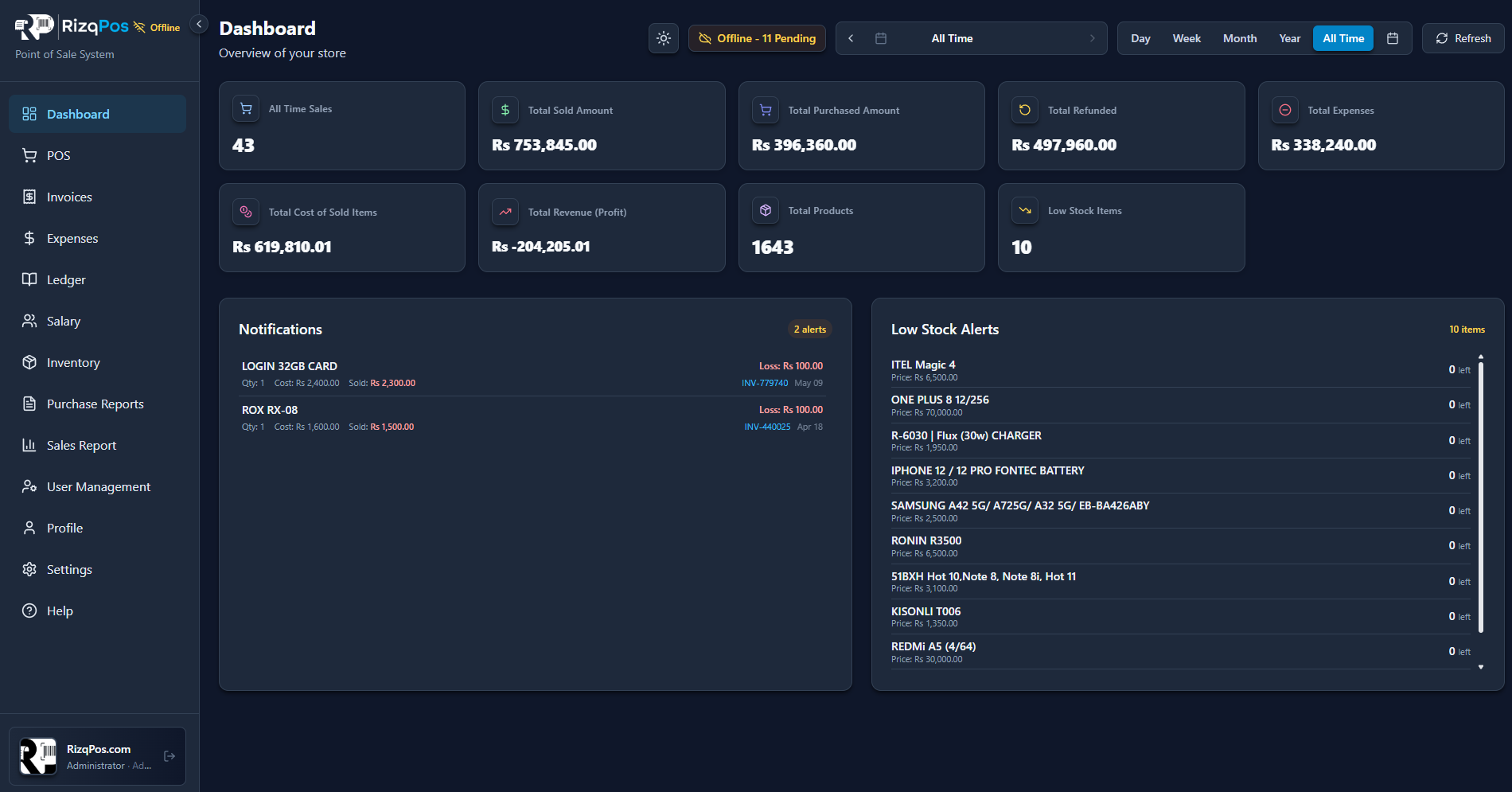
03 · Dashboard

Your whole business at a glance

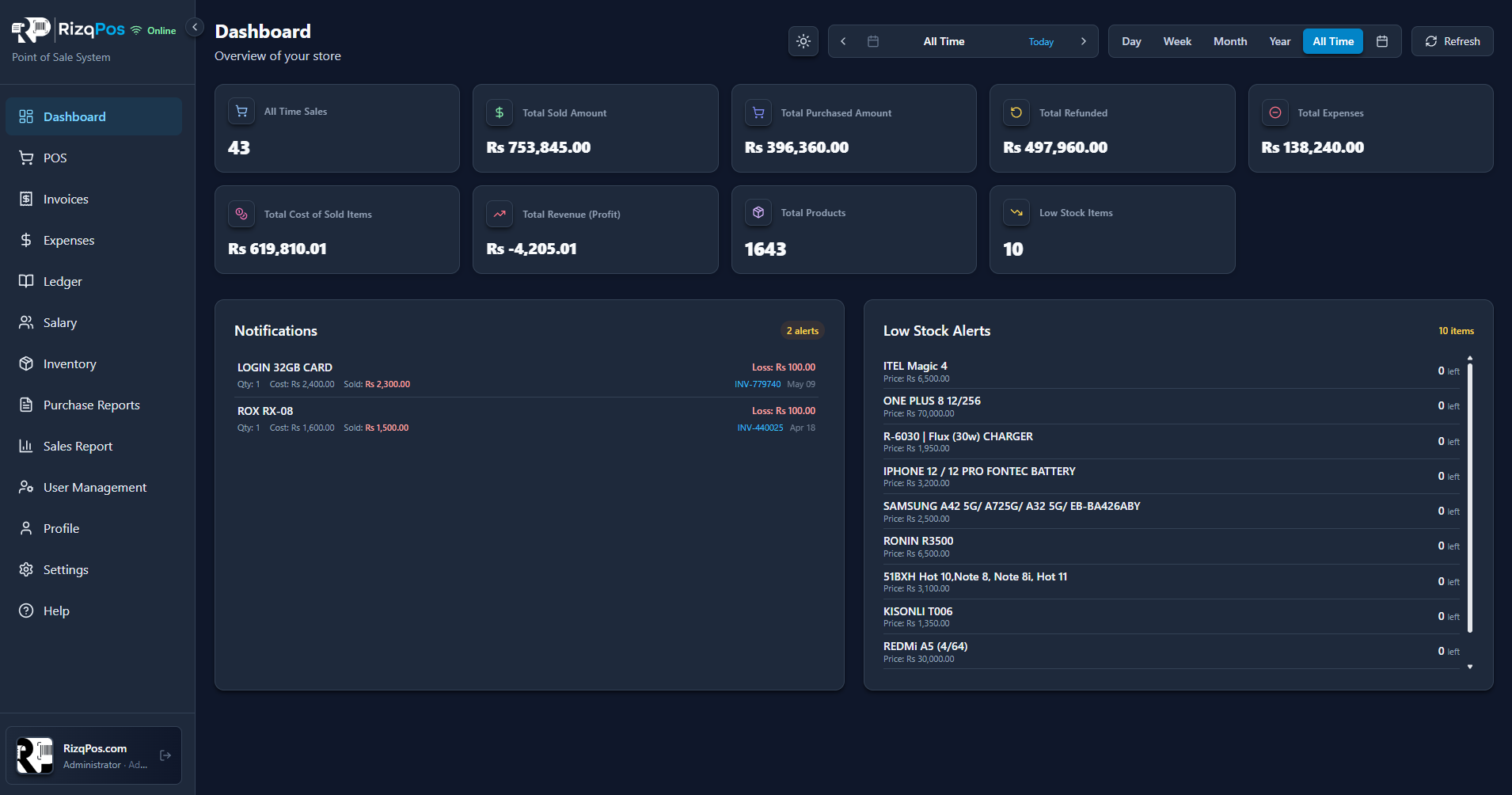
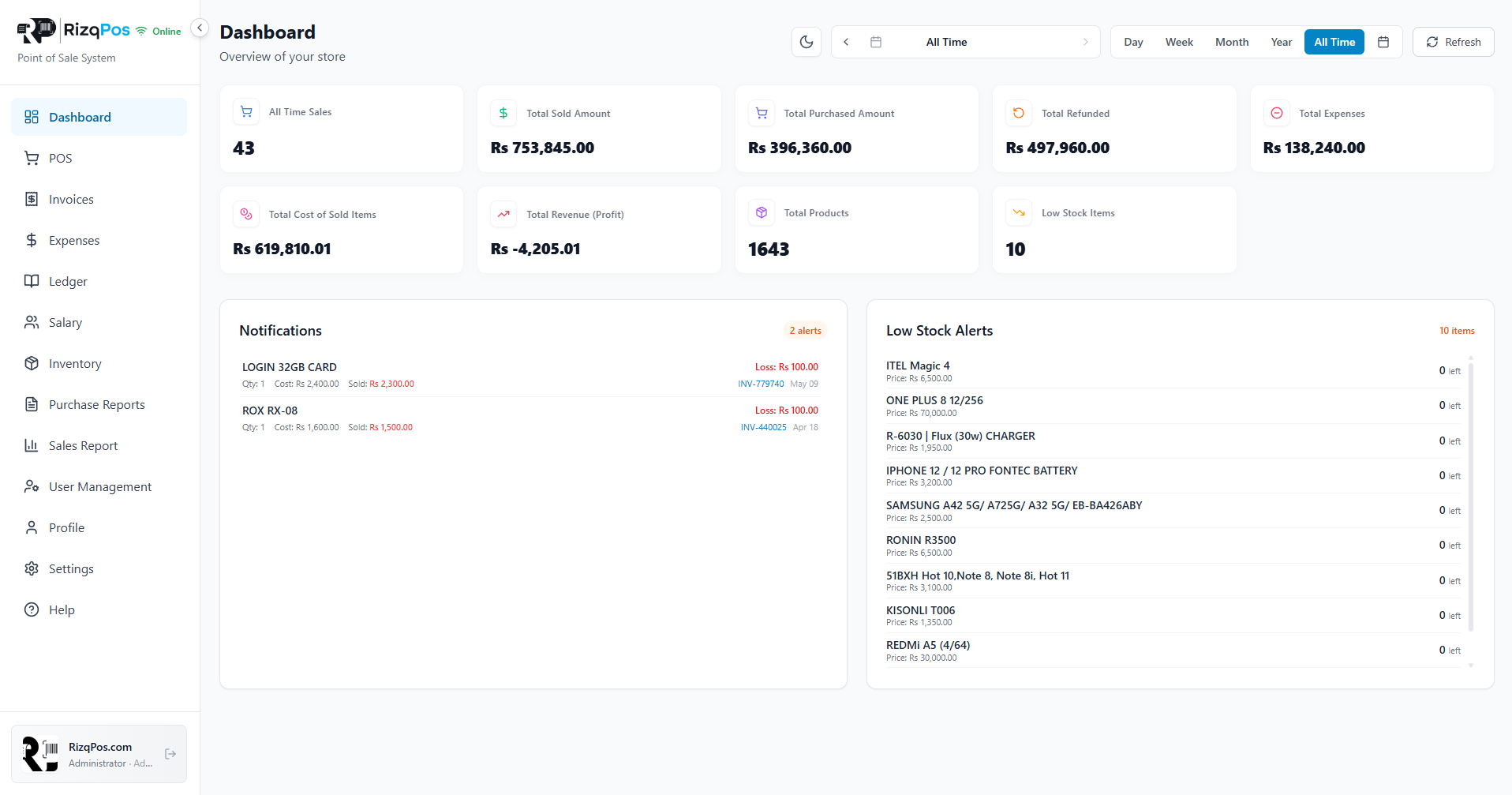
Sales, profit, expenses, refunds, low stock — all in one snapshot. Filter by day, week, month or year.

  • 8 live KPIs — sales, sold amount, purchased, refunded, expenses, cost, profit, stock
  • Loss notifications when a sale ends below cost
  • Low-stock alerts with prices and remaining units
  • Day / Week / Month / Year / All-time toggle
RizqPos dashboard with KPIs
04 · Inventory

Inventory that runs itself

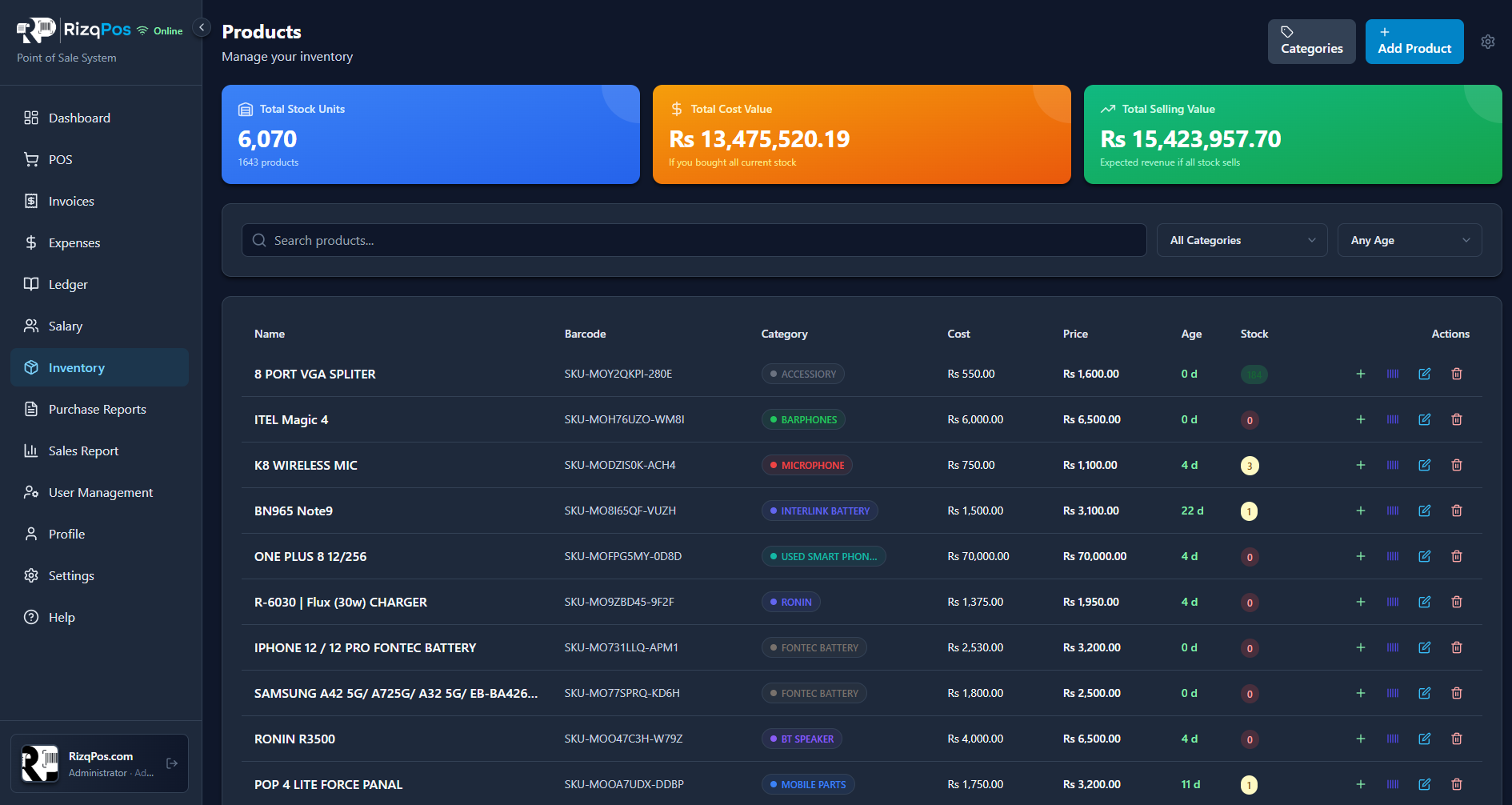
1,600+ products? No problem. Auto-generated barcodes, supplier links, low-stock warnings and live stock value in PKR.

  • Total Stock Units, Cost Value & Selling Value cards
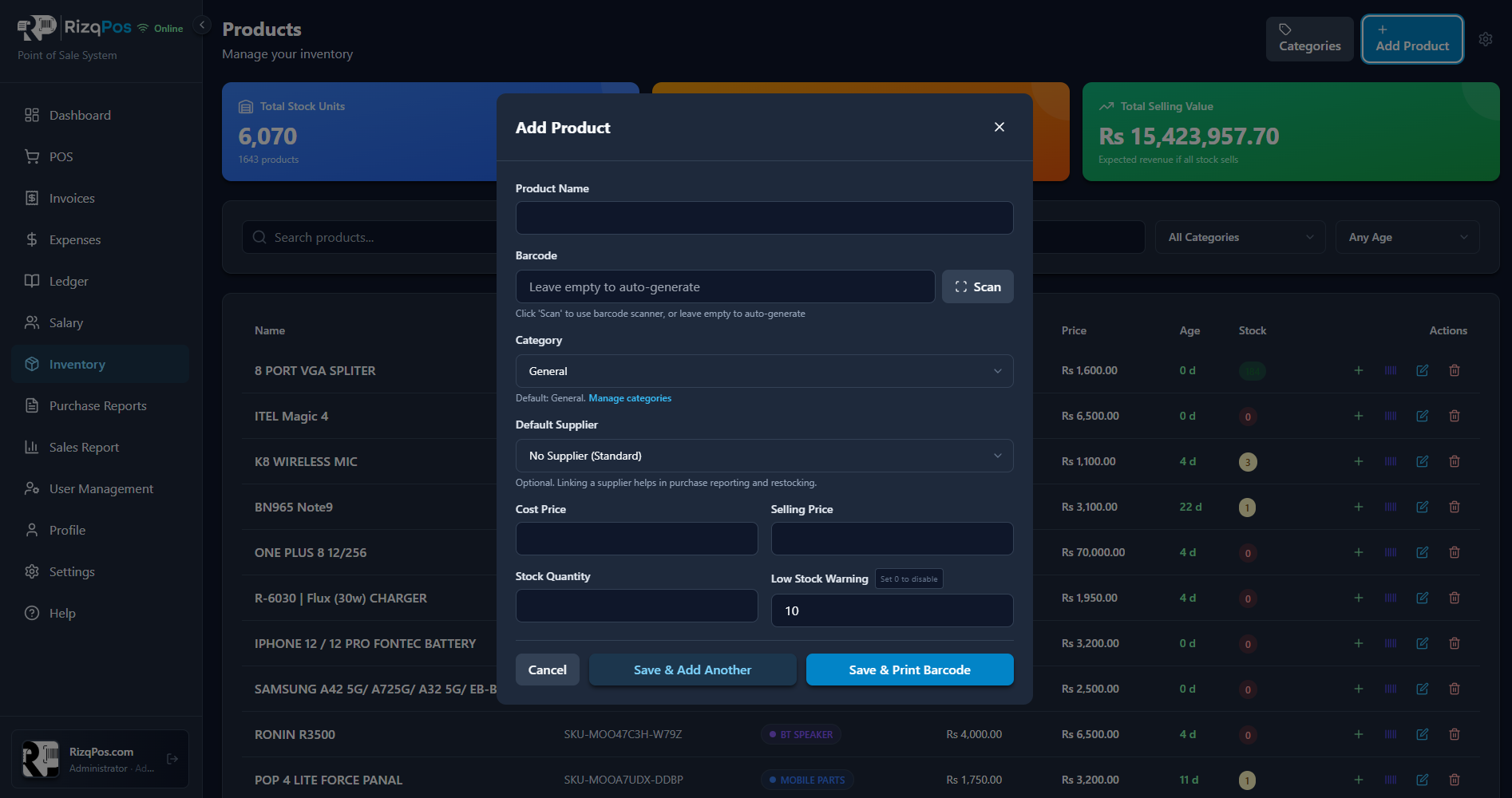
  • Add products with auto-generated SKUs and barcode scan
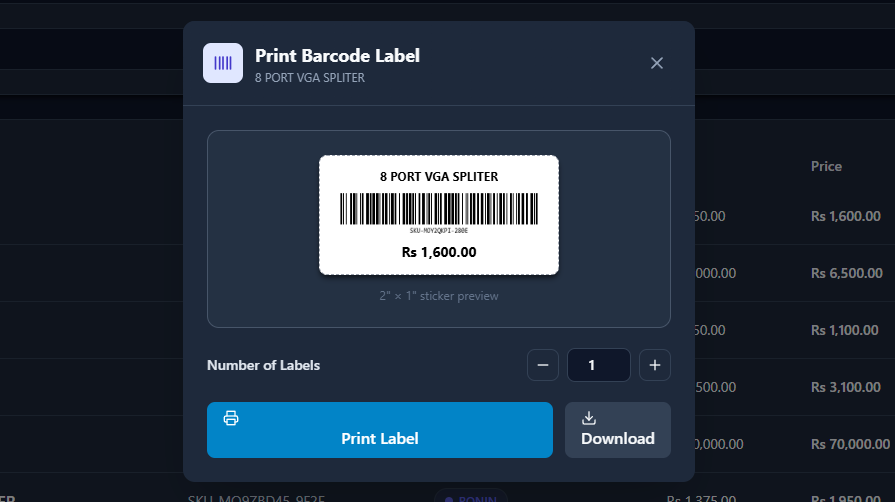
  • Print barcode labels in any quantity, 2" x 1" stickers
  • Categories, suppliers, age tracking and stock filters
Inventory product list with totalsAdd product modal with barcodePrint barcode label preview
Inventory product list with totals
05 · Invoices

Searchable invoice history

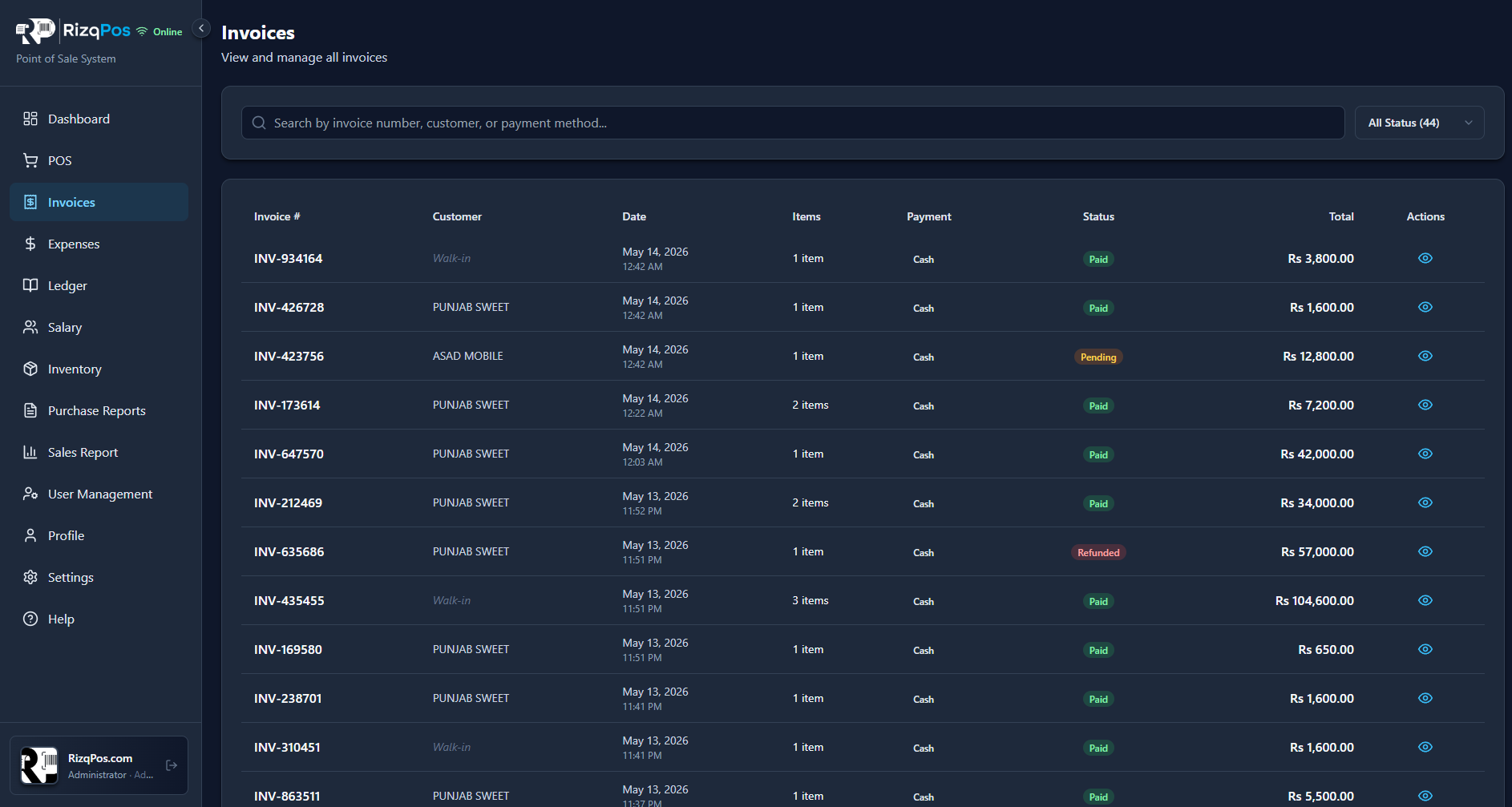
Every sale you ever made — paid, pending or refunded. Search by invoice, customer or payment method.

  • Filter by status — Paid, Pending, Refunded
  • Search by invoice #, customer name or payment method
  • Color-coded statuses for at-a-glance scanning
  • Reprint or refund any invoice in two clicks
Invoice list with status badges
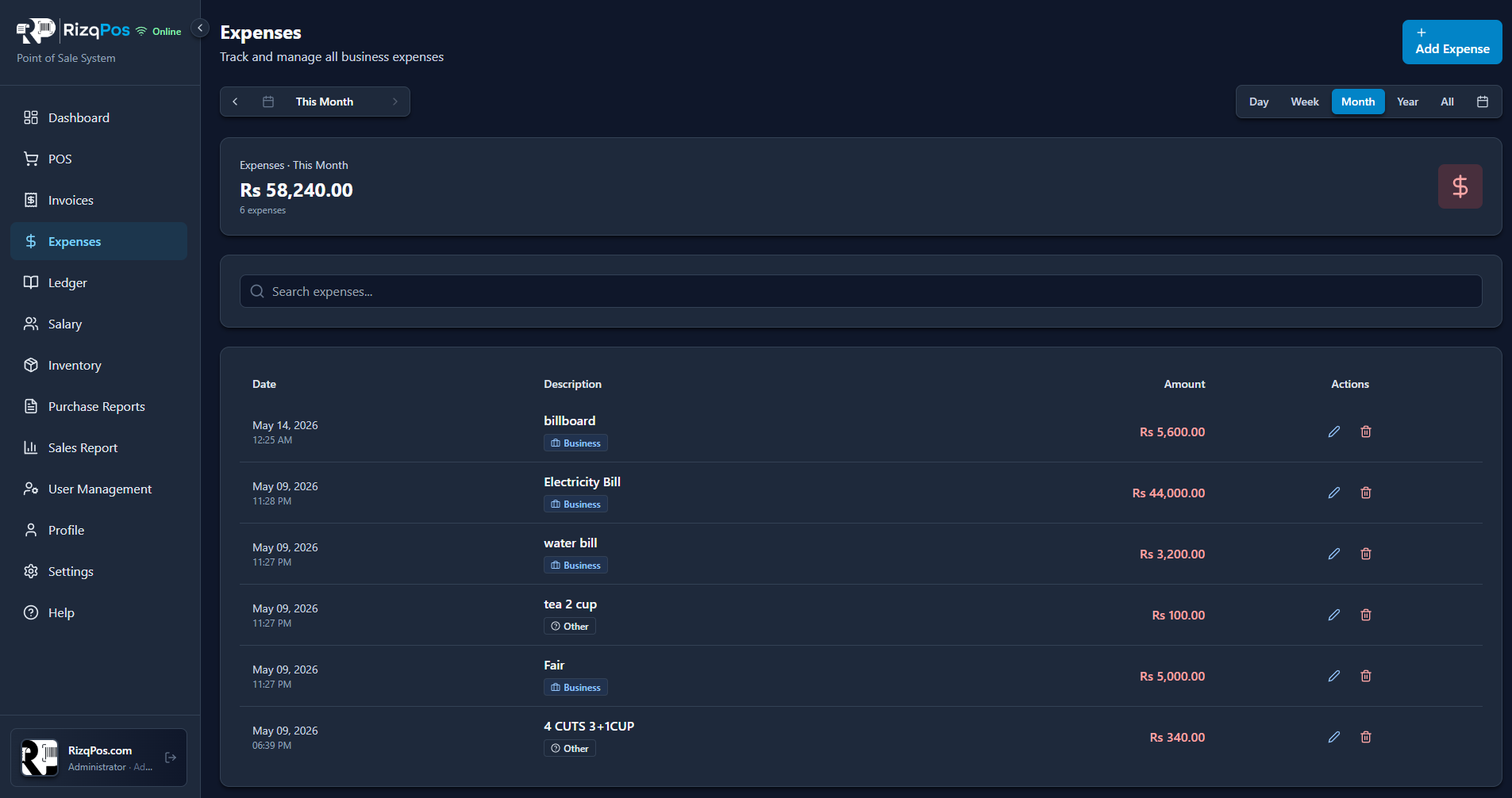
06 · Expenses

Track every cash-out

Bills, fairs, miscellaneous — log expenses by category and keep your real profit honest.

  • Categorized expenses (Business, Other, custom tags)
  • Day / Week / Month / Year / All views with totals
  • Inline edit and delete on every entry
  • Auto-deducted from your dashboard profit
Expenses list with monthly totals
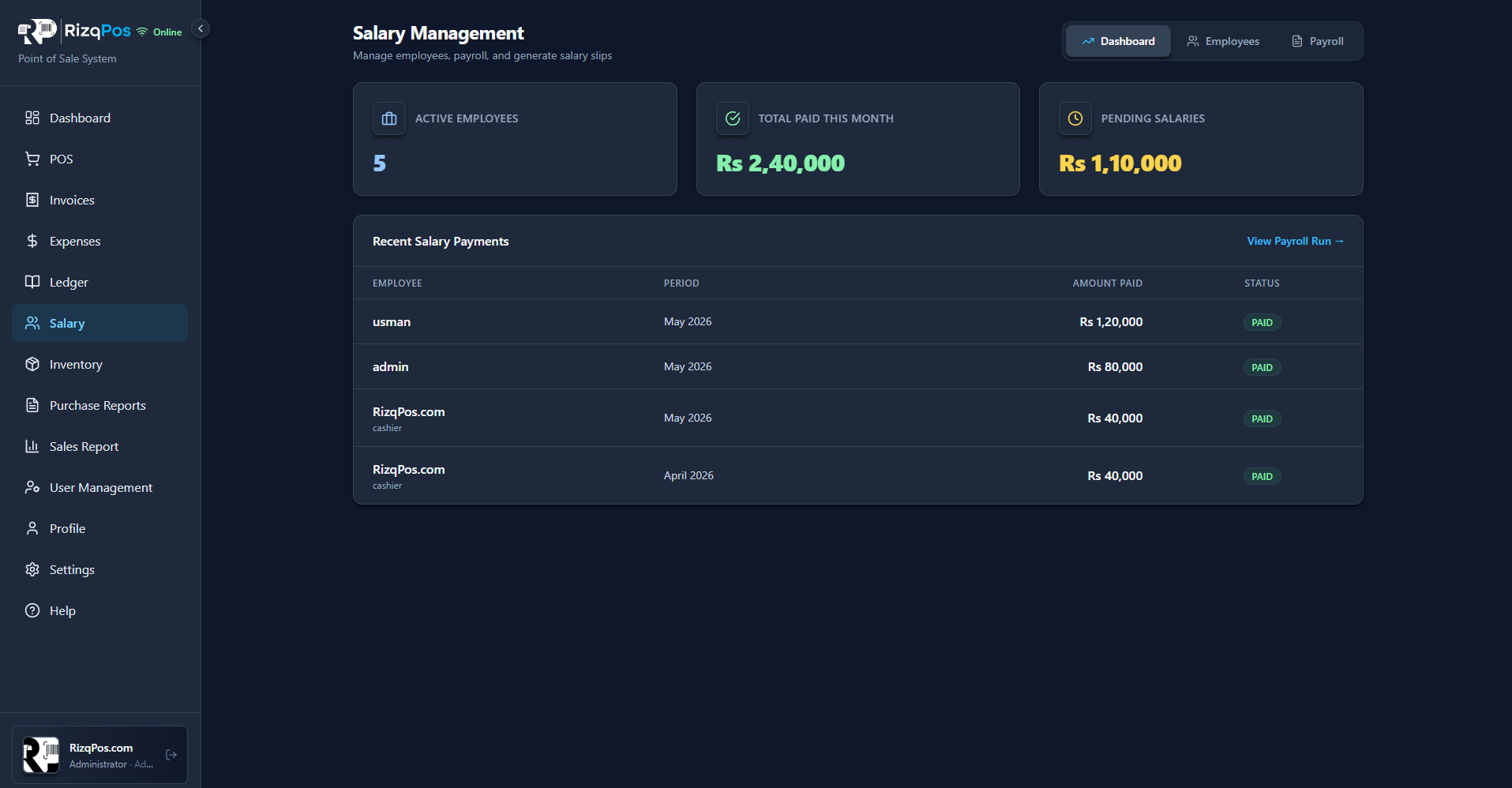
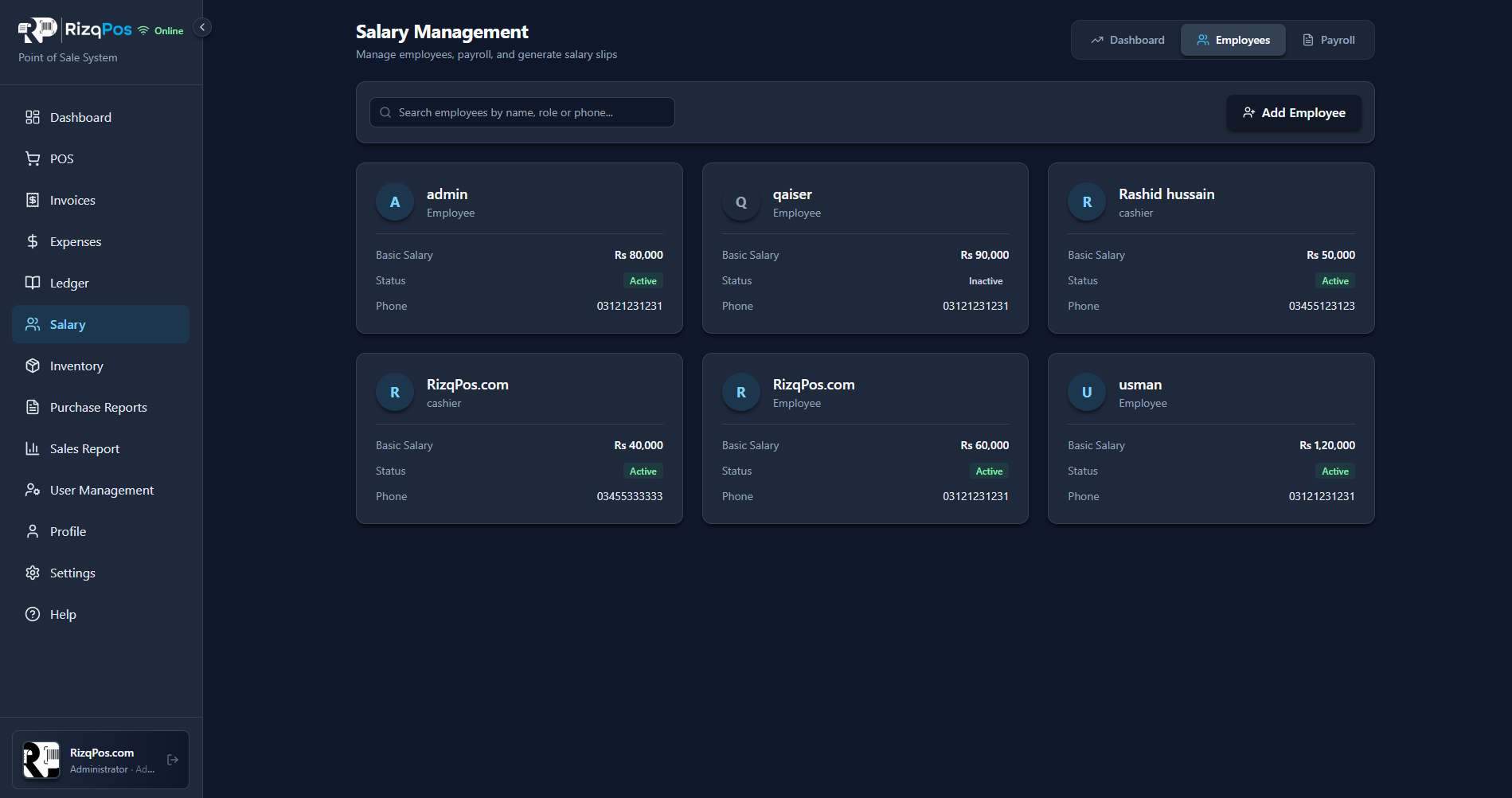
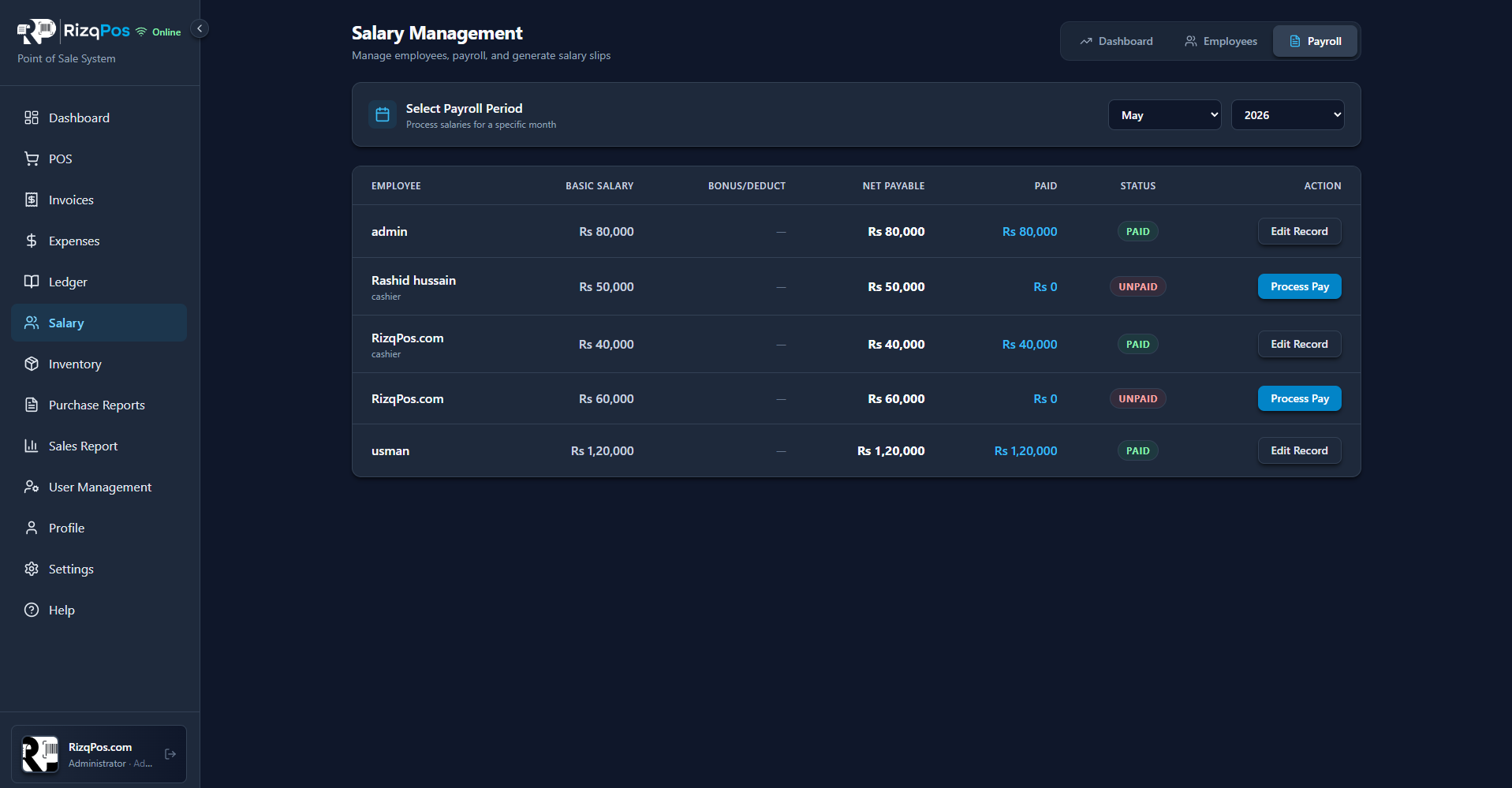
07 · Salary & Payroll

Payroll without the spreadsheet

Add employees, set basic salaries, run monthly payroll and mark paid — all from one screen.

  • Employee cards with basic salary, role and active status
  • Monthly payroll run with bonus / deduction support
  • Active employees, total paid and pending salaries KPIs
  • Salary slip records with paid / unpaid status
Salary management dashboardEmployee cards with salariesMonthly payroll run table
Salary management dashboard
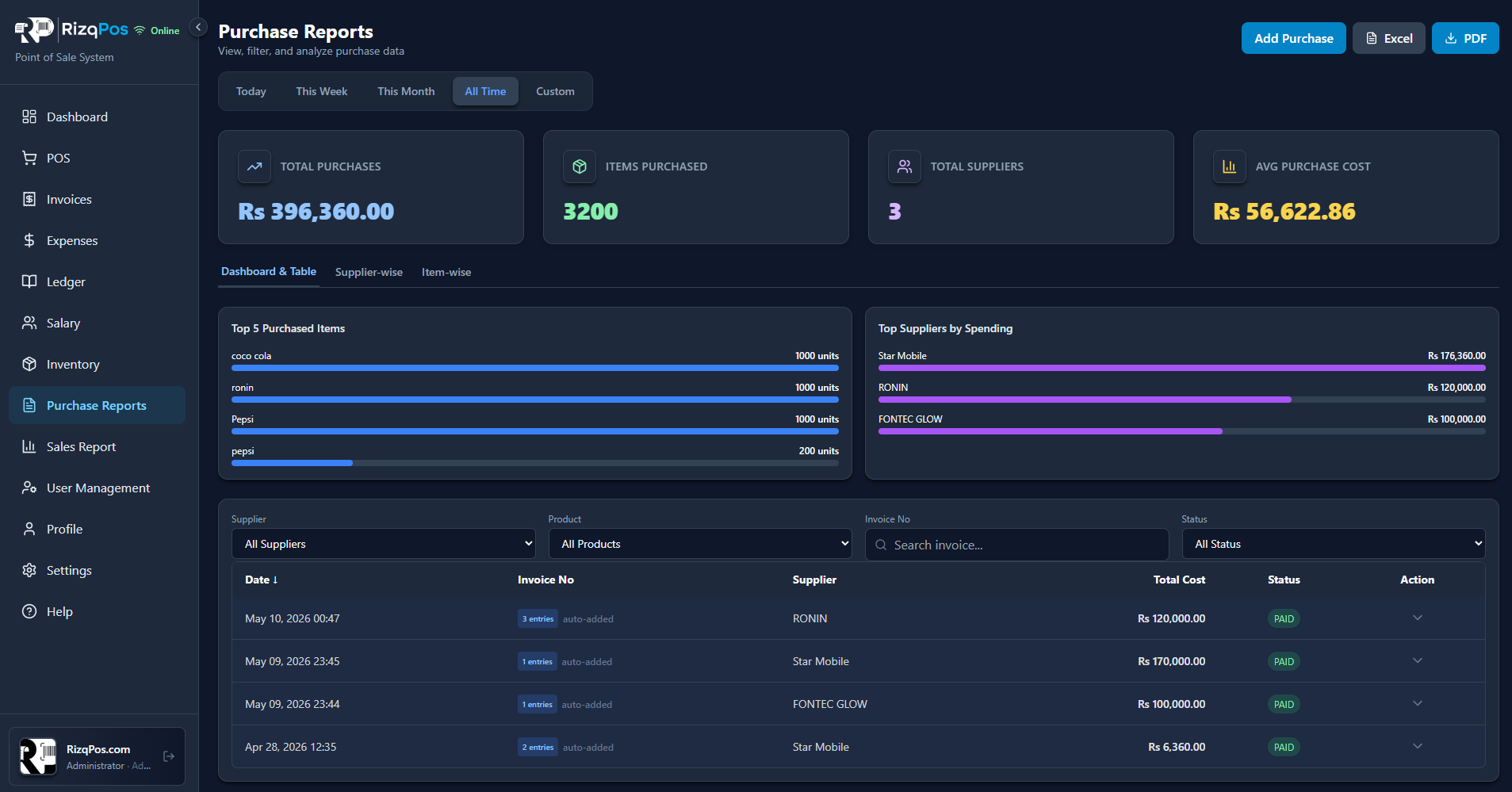
08 · Purchase Reports

Know what you bought, from whom

Top suppliers, top items and full purchase history with one-click Excel and PDF export.

  • Total purchases, items purchased & avg purchase cost
  • Top 5 purchased items + top suppliers by spending
  • Filter by supplier, product, invoice or status
  • Excel & PDF export of any view
Purchase reports dashboard
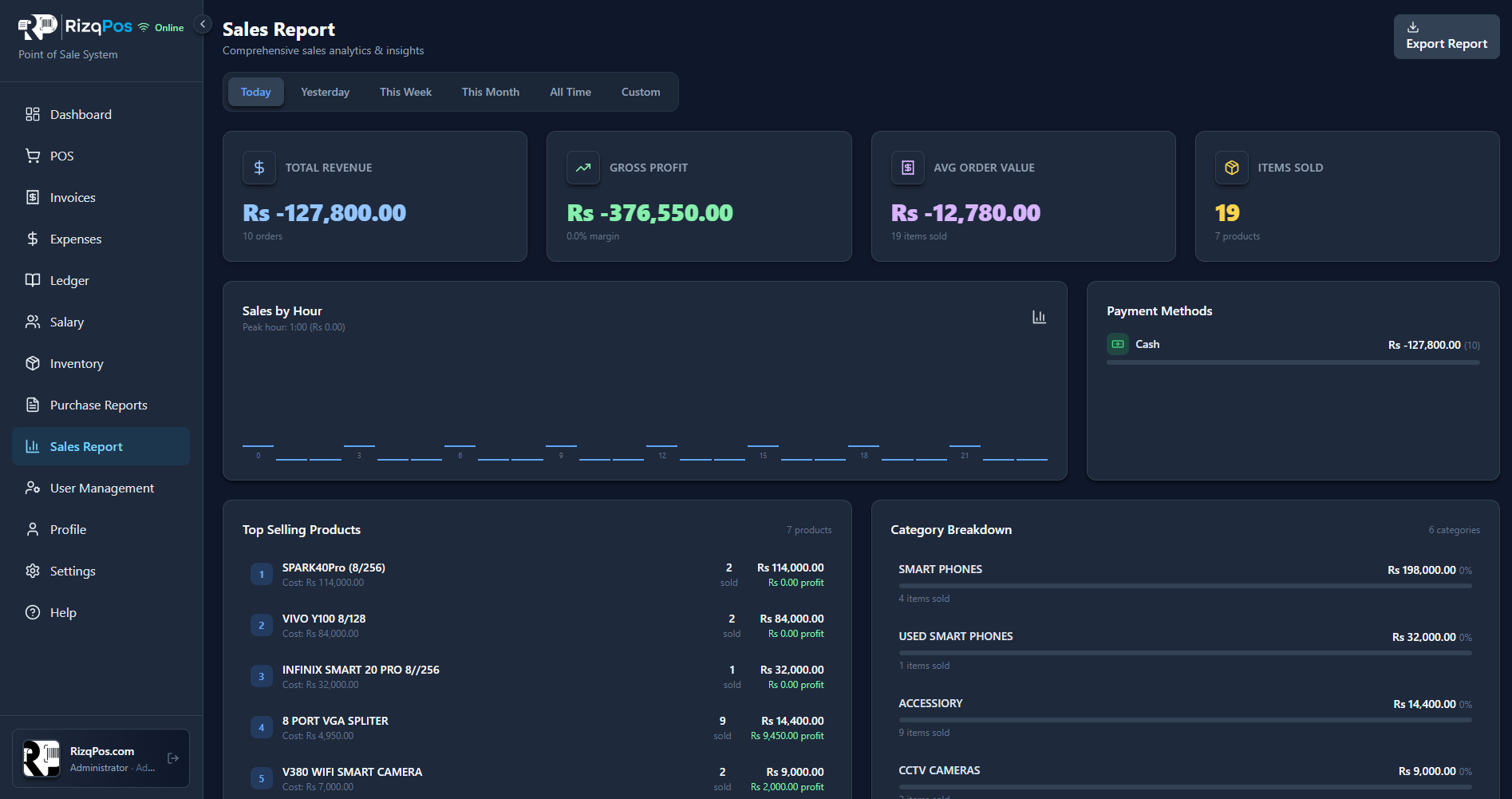
09 · Sales Report

Deep sales analytics

Revenue, gross profit, average order, hour-by-hour sales, top products and category breakdown — exportable.

  • Revenue, gross profit, AOV and items sold KPIs
  • Sales-by-hour chart to find your peak rush
  • Top selling products with cost and profit
  • Payment method split + category breakdown
Sales report analytics page
10 · Offline + Sync

Sells when the internet doesn't

Power cuts, dead Wi-Fi, slow PTCL — RizqPos keeps billing. Pending changes auto-sync the moment you're back online.

  • Online / Offline status badge in the sidebar
  • Pending operations counter while offline
  • Auto-sync of sales, ledgers and stock when reconnected
  • Local-first, never lose a single transaction
Offline mode with pending sync counter
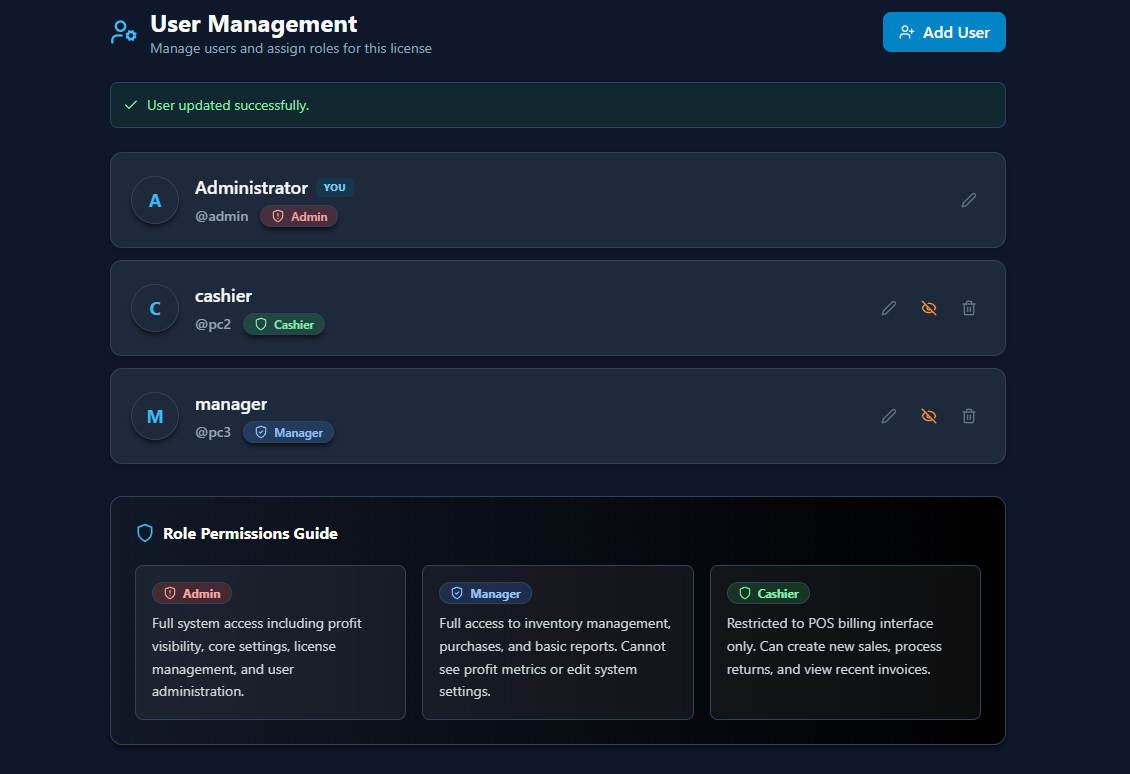
11 · User Management

Roles built for real shops

Admins, Managers and Cashiers — each with carefully tuned permissions so staff only see what they should.

  • Three roles — Admin, Manager, Cashier — built-in
  • Cashiers restricted to POS only (no profit, no settings)
  • Disable / hide users with one tap
  • Activity logs and per-user license control
User management with role permissions
12 · Light & Dark

A premium feel, day or night

Eye-friendly dark mode for late nights, crisp light mode for sunny counters. Switches instantly across the app.

  • Native light + dark themes — not a CSS afterthought
  • All charts, badges and KPIs re-tinted for legibility
  • Persistent per-user preference
  • An interface staff learn in under 10 minutes
RizqPos dashboard in dark modeRizqPos dashboard in light mode
RizqPos dashboard in dark mode

Ready to see RizqPos in your shop?

Start with a free trial — no credit card, no setup fee. Train your staff in 10 minutes.

Chat on WhatsApp